
Choose NowCare if you need provider-guided online care for a concern within its treatment scope; choose OnPatient if you already have a clinician who uses that patient portal and you want to manage that relationship. This 2026 comparison separates access to clinical care from access to your existing provider’s records, messages, and appointments.
- NowCare vs OnPatient compares provider-guided telehealth with a patient portal, not interchangeable medical services.
- Choose NowCare for online care within its supported conditions, with treatment only if medically appropriate.
- Choose OnPatient when your existing clinician uses it for patient records, messages, and appointment management.
- Neither option replaces an in-person examination when your symptoms require one.
Why this matters
A patient portal is not the same thing as a service that connects you with a clinician. Confusing those roles sends you toward the wrong next step: opening a portal account does not, by itself, establish a new treatment relationship.
NowCare connects patients with licensed clinicians for online care, including virtual urgent care, foot and ankle concerns, and medical weight loss. OnPatient is a patient portal associated with DrChrono that helps patients interact with participating healthcare practices.
For your 2026 decision, start with one question: do you need someone to evaluate a concern, or do you need access to someone already treating you? That distinction matters more than which interface looks easier to use.
At a glance
| Dimension | NowCare | OnPatient |
|---|---|---|
| Best for | Patients seeking provider-guided online care within supported conditions | Patients managing care with an existing participating practice |
| Clinical role | Connects patients with licensed clinicians | Connects patients with their practice through a patient portal |
| Existing-provider relationship | A route into the platform’s online care | A way to continue communication with a participating practice |
| Records and appointments | Care services are the focus | Patient records and appointment management are central portal functions |
| Prescriptions | Clinician-reviewed treatment, with prescriptions sent to your chosen pharmacy when appropriate | A communication channel with your practice, not an independent prescriber |
| Follow-up | Ongoing care-team support | Portal communication with your participating practice |
| Examination limits | Online assessment cannot replace every physical examination | Portal access cannot replace an examination either |
| Pricing model | One-time care programs, condition plans, and selected annual memberships | Portal access is distinct from the practice’s clinical billing |
Provider-guided telehealth wins when you need a care pathway
NowCare is best for patients seeking provider-guided telehealth for a supported health concern. Its role is to connect you with licensed clinicians who review your information and determine whether treatment is medically appropriate.
The supported categories include virtual urgent care, foot and ankle care, and medical weight loss. Within foot and ankle care, the stated scope includes heel pain, nail health, skin concerns, diabetic foot health, structural problems, sports-related concerns, and nerve pain.
That scope gives you a starting point, not a diagnosis. A painful heel and a damaged toenail require different assessments, and an online intake does not establish that either problem is suitable for remote treatment.
OnPatient serves a different purpose. You use it in connection with a participating practice; the portal itself is not a separate clinical team offering a competing treatment program.
- Advantage: A defined route to online clinician review for supported concerns.
- Limitation: Online care does not provide hands-on examination, imaging, or procedures.
- Best for: Someone seeking an online assessment rather than access to an existing chart.
OnPatient wins when your current practice already uses it
OnPatient is the better fit for managing an established relationship with a participating healthcare practice. If your question concerns an existing treatment plan, a previous visit, or information already held by that practice, the portal keeps the conversation connected to that relationship.
This is especially relevant when the next step belongs to your current clinician. A question about their instructions is different from seeking an independent assessment through another service.
The tradeoff is access. OnPatient’s usefulness depends on your practice using it and enabling the relevant patient-facing functions. It is not a general directory that guarantees a new clinician will take over your care.
Before starting elsewhere, decide whether you want continuity or a separate clinical review. Those are different goals, and neither should be mistaken for a promise of faster treatment.
- Advantage: Communication stays connected to a participating practice.
- Limitation: The portal does not create a new care relationship on its own.
- Best for: An existing patient following up with their own practice.
OnPatient wins for accessing a participating practice’s records
For reviewing information from an existing practice, OnPatient is the more relevant option. Patient records, appointment management, and practice communication are portal functions rather than stand-alone treatment programs.
That distinction is useful when your task is administrative. Checking information shared by your practice or managing an appointment does not necessarily require a new medical evaluation.
Do not assume every practice exposes the same information or uses every portal function. Your practice determines how its patient portal fits into its workflow, so confirm where appointment changes, documents, and questions belong.
A separate telehealth service is not a substitute for obtaining records from the clinician who holds them. If you seek another assessment, bring the relevant information rather than assuming different systems share it automatically.
- Advantage: A patient-facing route to information from a participating practice.
- Limitation: Portal access does not guarantee a complete, cross-provider medical history.
- Best for: Someone whose main task is reviewing records or managing an existing appointment.
Clinician review wins over either interface for prescriptions
Neither a portal account nor a completed intake guarantees a prescription. The prescribing decision belongs to a licensed clinician, based on the clinical assessment and whether treatment is appropriate.
The online care platform states that licensed clinicians review every plan and prescription, with approved prescriptions sent to the patient’s chosen pharmacy. That is a clinical service, not simply a messaging feature.
With OnPatient, the participating practice remains responsible for clinical decisions. Sending a message is not the same as receiving approval, and the portal itself does not prescribe medication.
For medication questions in 2026, prepare the details that help a clinician assess you: current medicines, allergies, prior treatments, and the reason you are seeking a change. Do not stop or alter a prescribed medicine solely because you have submitted an online request.
- Shared strength: Both routes can support communication around care when used in their intended setting.
- Shared limit: Clinical judgment, not the software interface, determines treatment.
- Best for: Patients who understand that evaluation comes before any prescribing decision.
Follow-up is a tie only when you reach the responsible team
The right follow-up channel is the one connected to the clinician managing that episode of care. Choosing a second platform does not automatically improve continuity.
The online care service includes ongoing care-team support. OnPatient supports communication with a participating practice. These are useful in different circumstances, but they should not be treated as interchangeable inboxes.
If you are asking about an existing plan, contact the team that created it. If you seek another opinion, explain the original assessment and what has changed so the next clinician has the necessary context.
Use this sequence to choose your next step:
- Existing plan: Identify which clinician or team owns the treatment decision.
- New concern: Decide whether you need a new assessment rather than an administrative answer.
- Urgent symptoms: Seek the appropriate urgent or emergency service instead of waiting for a portal reply.
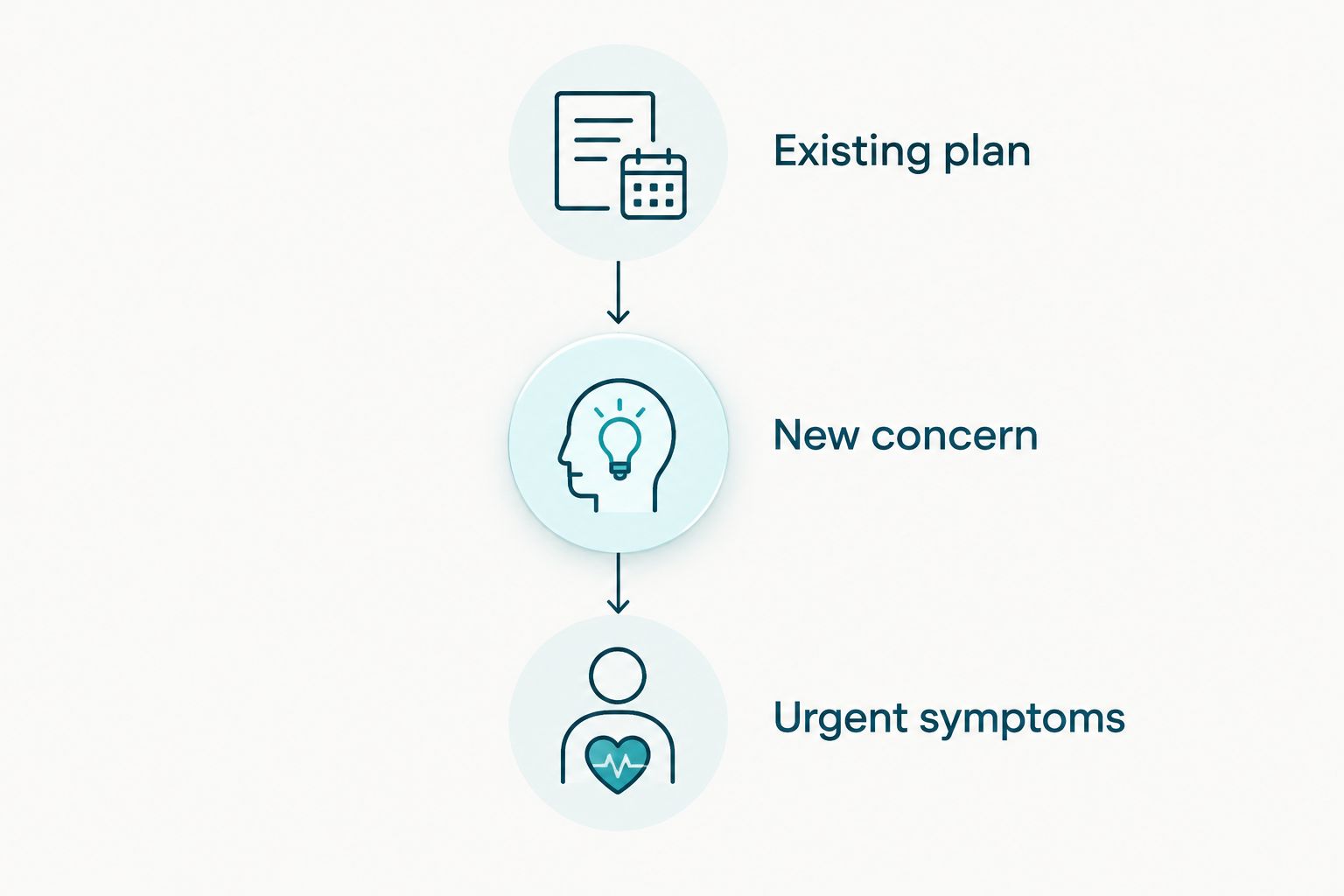
The limitation on both sides is the same: a communication channel is not a promise of an immediate clinical response. For your 2026 care plan, establish how follow-up works before relying on it for a time-sensitive problem.
Neither option replaces an examination when one is needed
This is an honest tie: neither online care nor a patient portal removes the need for in-person assessment. Some symptoms require examination, testing, imaging, or a procedure before a clinician can make a safe decision.
Foot concerns illustrate the distinction. Sharing a description and photographs can support an assessment, but it cannot reproduce testing sensation, evaluating circulation, or examining a wound directly.
Seek prompt in-person assessment for a new foot wound if you have diabetes, particularly when you also notice redness, swelling, drainage, or reduced sensation. Severe symptoms, rapidly worsening illness, or an apparent emergency belong with urgent or emergency services rather than a routine portal message.
The practical comparison is therefore about appropriate access, not avoiding every office visit. A credible online care pathway includes recognizing when remote care is not enough.
- Shared advantage: Digital communication helps you explain a concern and ask about next steps.
- Shared limitation: Neither interface performs a physical examination.
- Best for: Patients prepared to move to in-person care when clinically necessary.
Pricing models: compare the care, not the account
Compare the clinical service you are receiving, not simply whether you can sign in. A treatment program and a practice portal represent different parts of healthcare delivery.
The online service describes transparent one-time pricing, with no insurance required. Virtual urgent care uses a 1-month plan. Foot and ankle care includes 1-month, 3-month, and 6-month plans, with annual memberships for selected conditions.
Medical weight loss is described through 1-month and 3-month one-time programs with physician guidance. Those durations describe program structure; they do not establish what treatment an individual patient will receive.
OnPatient is a portal connected to a participating practice, so assess the practice’s clinical billing separately from the portal account. Do not infer appointment charges, insurance participation, or treatment terms from the existence of portal access.
Before selecting care in 2026, clarify:
- What clinical assessment the program or appointment includes.
- Which follow-up interactions belong to that episode of care.
- Whether medication, testing, or in-person services are separate.
- What happens if the clinician determines that remote treatment is inappropriate.
Defined programs make the care period explicit. An existing-practice relationship keeps care connected to that practice’s arrangements. Neither structure guarantees a particular clinical outcome.
Final verdict: choose the relationship you need
Choose NowCare if you need a supported online assessment
Best for: the patient seeking provider-guided telehealth rather than an existing practice’s portal. Choose it when your concern falls within its stated scope and you want licensed clinicians to assess whether online treatment is appropriate.
Accept the boundary: an online care program is not a promise of medication, a diagnosis, or avoidance of in-person care.
Choose OnPatient if you are continuing care with your practice
Best for: the established patient whose clinician already uses OnPatient. Choose it to manage that relationship, review information made available by the practice, and communicate through its chosen portal.
Accept the boundary: a portal is not an independent clinical service. Its value comes from the participating practice behind it.
| Dimension | Winner |
|---|---|
| Seeking a new supported online assessment | Provider-guided telehealth |
| Continuing with a participating practice | OnPatient |
| Accessing that practice’s records and appointments | OnPatient |
| Prescription decisions | Neither interface; a licensed clinician decides |
| Follow-up | The team responsible for the treatment plan |
| Need for physical examination | Neither replaces in-person care |
| Pricing structure | Match the clinical service and terms to your needs |
FAQ
Is NowCare better than OnPatient?
NowCare is the better fit for seeking provider-guided online care within its supported conditions; OnPatient is the better fit for managing care with an existing participating practice. They serve different roles rather than offering interchangeable treatment services.
Is OnPatient a telehealth provider?
OnPatient is a patient portal, not an independent clinical provider. Your participating healthcare practice remains responsible for assessment and treatment decisions.
Can I get a prescription just by signing into a patient portal?
No. A licensed clinician must determine whether a prescription is medically appropriate; portal access alone does not establish eligibility for medication.
Which option should I use to ask about my current treatment?
Use the channel connected to the clinician or team managing your current treatment. If that practice uses OnPatient, its portal is the relevant starting point for routine questions.
Can online care replace an in-person foot examination?
Online care cannot replace every in-person foot examination. Symptoms requiring direct examination, circulation assessment, testing, or procedures need an appropriate in-person service.
Do I need insurance for the online care programs?
The online care platform states that insurance is not required for its programs. For care through an OnPatient-connected practice, confirm that practice’s billing and insurance arrangements directly.
What should I do if my symptoms are urgent?
Seek appropriate urgent or emergency care instead of waiting for a routine portal response. Neither a patient portal nor an online intake should be treated as an emergency service.
One last thing
The account you can open is not necessarily the care you need. Before completing another intake, write down the task: obtain a new assessment, ask about an existing plan, retrieve a record, or arrange an examination.
That short description gives you a better decision rule than a feature checklist. Choose the clinical relationship first; use the interface that supports it.