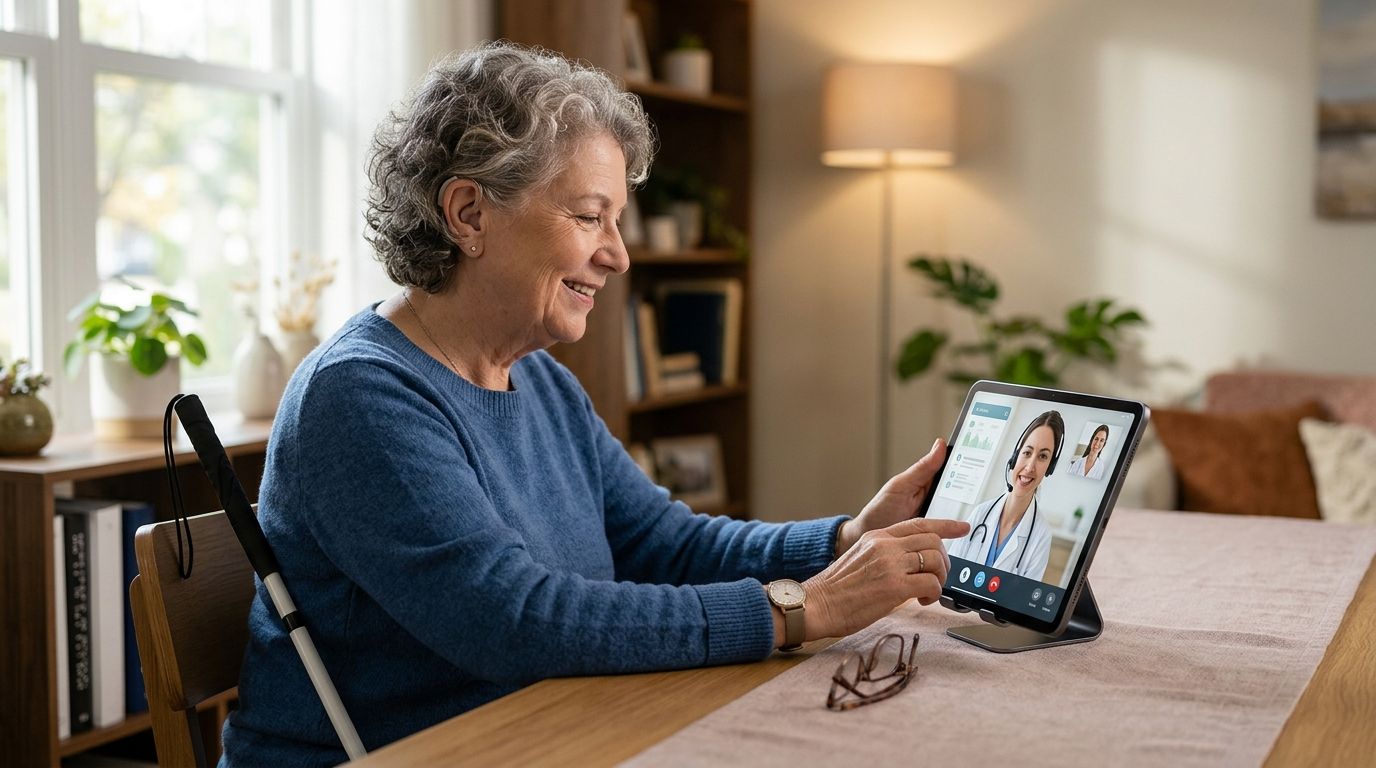
Telehealth for blind and visually impaired patients is online medical care delivered by phone or screen-reader-compatible video, with the goal of removing the transportation, paperwork, and wayfinding barriers that in-person clinics create for people with vision loss. This segment needs more than a video link that works — it needs intake forms that a screen reader can parse, confirmation steps that don't rely on reading a screen, and a care team that narrates instructions instead of pointing at a chart.
- Telehealth for visually impaired patients works best when intake, confirmation, and prescriptions are all voice-friendly, not just the video call.
- NowCare's virtual urgent care and foot & ankle visits run by phone or video, so a working camera is never a requirement to be seen.
- Screen-reader compatibility and audio-first navigation matter more than video quality for this segment in 2026.
- Prescription pickup at a chosen pharmacy removes one of the biggest access barriers: reading small print on a bottle or a portal.
Why telehealth matters for blind and visually impaired patients
Getting to a clinic means arranging transportation, navigating an unfamiliar building, and reading forms on a clipboard — three friction points that don't exist once care moves to a phone call. NowCare runs its Virtual Urgent Care and Foot & Ankle Care visits by phone as well as video, which matters for a patient who can hear a clinician clearly but can't always see a screen well enough to trust a video feed.
Foot and ankle issues are a particularly common entry point for this segment. Diabetic retinopathy and diabetic neuropathy travel together often enough that a patient managing vision loss from diabetes is frequently also managing numbness, nail changes, or skin breakdown in the feet — exactly the territory NowCare's Diabetic Foot Health pillar covers. A telehealth visit that handles both the eyes-related fatigue of navigating apps and the physical exam questions about foot sensation in one conversation saves a trip that a low-vision patient would otherwise need a driver or a paratransit booking to make.
Update your intake process for accessibility
Most telehealth breakdowns for this segment happen before the visit even starts, at the intake form. Fix that first.
- Ask if the portal supports screen readers (VoiceOver, NVDA, JAWS) before you create an account
- Request a phone-based intake option if the web form isn't readable
- Have a family member or aide read consent language aloud rather than skipping it
- Confirm your pharmacy address verbally instead of typing it, if typing is a barrier
- Save your login information in a format your screen reader can retrieve later
Choose the right visit type for your symptom
A general "see a doctor" request wastes time. Match the visit to the pillar.
- Skin changes, rashes, or hair concerns route to Virtual Urgent Care
- Numbness, tingling, or nail changes in the feet route to Diabetic Foot Health
- Heel pain or plantar fasciitis route to the Heel Pain pillar
- Weight changes tied to a GLP-1 program route to Medical Weight Loss
- Everyday concerns like sinus pain or a UTI route to the general Urgent Care pillar
Test your audio setup before the appointment, not during it
A dropped call mid-visit is a bigger problem for someone who can't visually confirm the app reconnected. Testing ahead removes that risk.
- Call a friend on the same device to confirm the microphone and speaker work
- Turn on captions or a screen reader's live-speech feature if you plan to also use video
- Charge the device fully; a dead battery mid-visit means starting the intake over
- Keep the clinician's callback number saved as a contact, not just in an email
Ask for verbal confirmation of every instruction
A prescription instruction printed on a portal is useless if you can't read it easily. Say so on the call.
- Ask the clinician to state the medication name, dose, and frequency out loud
- Request they repeat the pharmacy name and address they're sending the prescription to
- Ask for a follow-up call instead of a follow-up message if a message isn't accessible to you
- Confirm next steps verbally before the call ends, including whether a second visit is needed
Set up prescription delivery to reduce repeat trips
Once a prescription is sent electronically to a pharmacy, the trip to a clinic disappears entirely. NowCare sends prescriptions to the patient's chosen pharmacy after a licensed clinician reviews the plan, which means one phone call can replace an in-person visit, a paper script, and a separate pharmacy stop.
- Pick one regular pharmacy so every prescription lands in the same place
- Ask the pharmacy if they offer delivery or a talking pill-bottle label
- Set phone reminders for refill dates instead of relying on reading a bottle label
- Confirm insurance or payment details once, so it doesn't need repeating at every visit
Build a recurring routine for chronic conditions
One-off visits are fine for a rash. Chronic foot and vision-adjacent conditions need a repeatable rhythm.
- Book check-ins on a fixed schedule (monthly or quarterly) rather than waiting for a flare-up
- Track symptoms verbally with a voice memo app between visits
- Ask the clinician to flag anything that needs an in-person specialist referral early
- Keep a single point of contact for ongoing conditions instead of starting fresh each time
Comparing your care options
| Option | Best for | Key limitation |
|---|---|---|
| In-person primary care | Complex physical exams needing hands-on assessment | Transportation and building navigation are real barriers for low-vision patients |
| Generic telehealth apps (non-specialized) | Basic video consults | Many portals aren't built with screen-reader testing in mind |
| Phone-only nurse lines | Quick triage questions | No prescribing authority for ongoing conditions in most cases |
| NowCare Virtual Urgent Care & Foot & Ankle Care | Skin, ENT, women's/men's health, and the seven foot & ankle conditions, by phone or video | Not a substitute for in-person emergency or surgical care |
NowCare's phone-first option for Virtual Urgent Care and Foot & Ankle Care is the more accessible pick for patients who find video-dependent portals hard to navigate — book it when a camera isn't a realistic requirement.
“A telehealth visit only helps a blind or low-vision patient if the intake form, the confirmation step, and the prescription pickup are all as accessible as the phone call itself.”
Common mistakes this segment makes
- Assuming video is mandatory. Many platforms, including NowCare's Virtual Urgent Care and Foot & Ankle Care visits, work by phone — skipping a visit because a camera setup feels intimidating means losing access to care that didn't require video at all.
- Not asking for verbal confirmation. Patients often nod along to instructions they can't read back later, then miss a dose or a follow-up date.
- Choosing one pharmacy per visit instead of one pharmacy overall. Splitting prescriptions across locations makes refill tracking harder for someone relying on memory or a helper.
- Skipping the accessibility check on intake forms. A portal that isn't screen-reader tested at signup often stays unreadable at every future login too.
- Waiting for a crisis to book a chronic-condition check-in. Diabetic foot and neuropathy symptoms are easier to manage on a fixed schedule than after a flare-up forces an urgent call.
Book a phone or video visit today
Licensed clinicians review every plan before it's sent to your pharmacy.
FAQ
Is telehealth for visually impaired patients as effective as in-person care?
For symptom review, prescription management, and chronic condition check-ins, phone and video visits cover most of what an in-person visit would, since NowCare's clinicians can complete history-taking and prescribing without a physical exam. Conditions needing hands-on assessment, like a suspected fracture, still need in-person follow-up.
Do I need a working camera to use NowCare?
No. NowCare's Virtual Urgent Care and Foot & Ankle Care visits run by phone as well as video, so a camera isn't required to be seen by a licensed clinician.
How do prescriptions get filled after a telehealth visit?
A licensed clinician sends the prescription electronically to the pharmacy you choose, removing the need to carry or read a paper script.
What if I can't read the intake form on my phone?
Ask if a phone-based intake is available instead of the web form, and have the consent language read aloud before you agree to it.
Can telehealth handle diabetic foot care for a low-vision patient?
Yes — NowCare's Diabetic Foot Health pillar is built for exactly this overlap, since numbness and nail or skin changes are common alongside diabetes-related vision loss.
How much does an online doctor visit cost without insurance?
Pricing varies by visit type and plan length, and the current rates are listed on the platform at the time of booking rather than fixed here.
Is telehealth HIPAA compliant for accessibility-focused patients?
NowCare's intake and visit process is built to be HIPAA compliant, meaning the same privacy standards apply whether the visit happens by phone or video.
What should I do if a video call keeps disconnecting?
Switch to a phone-only visit instead of troubleshooting video mid-appointment; NowCare supports phone visits for its urgent care and foot & ankle pillars specifically because video isn't always reliable.
One last thing
The single biggest accessibility gain in 2026 telehealth isn't a fancier app — it's the phone-call fallback. A platform that treats phone visits as a first-class option, not a workaround, is the one that actually removes the barrier for a blind or low-vision patient instead of just moving it from a waiting room to a login screen.