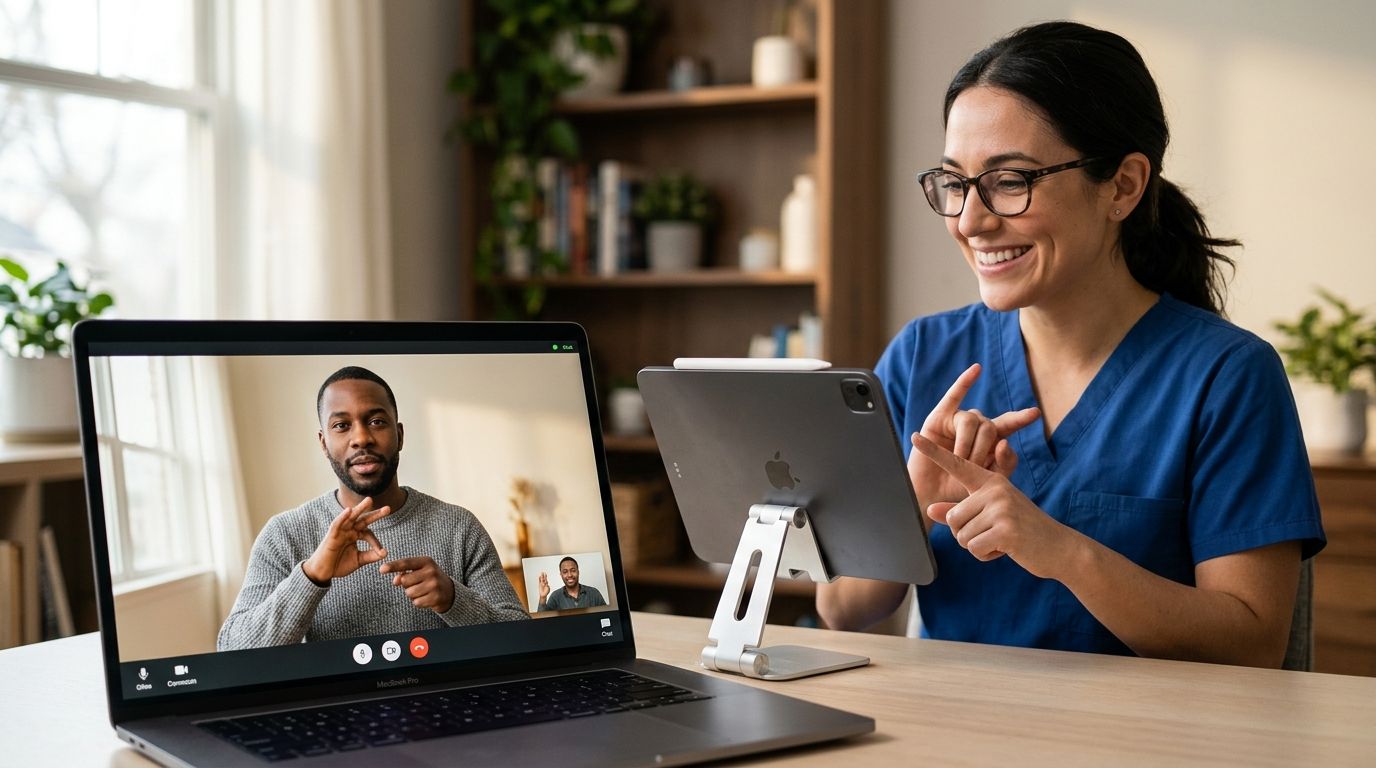
Telehealth for deaf patients is provider-guided virtual care delivered through captioned video, text-based chat, or interpreter-supported visits, with the goal of getting the same medical outcomes as a hearing patient without the communication gap. Deaf and hard-of-hearing patients need more than a video link that works — they need captioning accuracy, visual alerts, and a clinician who confirms understanding instead of assuming it.
- Telehealth for deaf patients works best when the platform offers live captioning or ASL interpretation before you book, not after.
- Text-first and chat-based visits remove audio dependency entirely and are often the fastest path to care in 2026.
- NowCare and similar platforms should confirm accessibility accommodations during intake, not leave it to the patient to explain mid-visit.
- Written after-visit summaries matter more for deaf patients than verbal recaps ever will.
Why telehealth access matters for deaf and hard-of-hearing patients
Most telehealth platforms were built around a phone-call model with video bolted on. That works fine for a hearing patient describing a sore throat. It fails a deaf patient the moment the intake defaults to an audio-only phone tree, or the video visit has no captioning and the clinician talks with a hand near their mouth.
The gap isn't access to a device — it's whether the platform's workflow assumes hearing by default. A HIPAA-compliant telehealth platform still has to solve for communication, not just data security, before it's usable for this segment. Compliance and accessibility are two different checklists, and a platform can pass one without passing the other.
NowCare delivers all care online with secure intake and licensed clinicians reviewing every plan, which means the accessibility question is settled at the intake stage rather than at the start of a live call.
Building an accessible telehealth visit, step by step
Confirm captioning or interpreter support before you book
Don't wait until the appointment starts to find out captions aren't available. Check this upfront:
- Does the video tool have built-in live captioning, or does it rely on a separate third-party app?
- Is ASL interpretation available on request, and is it scheduled in advance or on-demand?
- Can you flag deaf or hard-of-hearing status as an intake note the clinician sees before the call connects?
- Does the platform support Video Relay Service (VRS) connections without dropping call quality?
- Is there a text-chat fallback if captions lag or fail mid-visit?
Set your accessibility preference during intake, not during the visit
Most intake forms have a free-text or accommodations field. Use it.
- Note your preferred communication method: captions, ASL, text-chat, or a combination
- List assistive devices you'll be using (hearing aids, cochlear implants) so a delayed response isn't misread
- Ask whether confirmations and instructions can arrive by text or email instead of a phone call
- Flag if you need extra time in the visit to accommodate lip-reading or caption lag
Choose text-based or asynchronous visits when the issue allows it
Not every visit needs real-time video. A written symptom description, photo upload, and clinician response handles many everyday concerns — skin issues, refills, follow-up questions — and removes the audio dependency completely. NowCare's virtual urgent care covers skin and hair, ENT, men's health, women's health, and everyday concerns through this kind of provider-guided online workflow.
- Use message-based visit formats for non-urgent concerns
- Reserve live video for visits where the clinician needs to see movement, gait, or a live exam
- Ask if lab orders and prescription routing can happen entirely through the portal, no call required
Test your captioning and video setup before the appointment time
A failed tech check eats into a 15-minute visit fast.
- Join a test call 10 minutes early if the platform allows it
- Confirm captions render in real time, not on a 5-10 second delay that makes back-and-forth hard
- Check that your camera angle shows your face clearly if lip-reading is part of how you communicate
- Keep a backup ready: text chat with the same clinician if video captioning fails
Bring a written symptom summary instead of relying on verbal exchange
Typing out symptoms, duration, and prior treatments beforehand means less real-time back-and-forth during the visit itself. Reading the first telehealth appointment prep guide before your first visit shortens the setup even further.
- List symptom onset date, severity, and what has changed
- Note any medications already tried
- Include your questions in priority order, so the important one isn't the one that gets cut
Request a written after-visit summary before you disconnect
A verbal recap at the end of a video visit isn't useful if you missed part of it. Ask for:
- A written summary of the diagnosis and next steps sent to your portal or email
- Prescription details in writing, including dosage and which pharmacy it was sent to
- Follow-up instructions plus the red-flag symptoms that would justify a second visit
Know that ADA protections apply to telehealth, not just in-person care
The Americans with Disabilities Act requires covered healthcare providers to offer effective communication, and that obligation doesn't disappear because the visit happens over video instead of in an exam room. If a platform can't accommodate captioning or interpretation, raise it with the provider before you book again.
Comparing accessible telehealth options
| Option | Best for | Accessibility strength | Key limitation |
|---|---|---|---|
| Live-captioned video visit | Routine and urgent visits needing a real-time exam | Auto-captions plus camera-based lip-reading support | Caption accuracy varies by platform and connection speed |
| Text-based or asynchronous visit | Refills, follow-ups, non-urgent symptom review | No audio dependency at all | Not suited to visits requiring a live visual exam |
| ASL interpreter-supported video visit | Complex diagnoses, mental health, sensitive conversations | Live human interpretation, highest communication accuracy | Usually requires advance scheduling |
| Video Relay Service (VRS) connected visit | Patients who already use VRS daily | Familiar workflow, third-party interpreter on the line | Depends on VRS reliability and platform compatibility |
Verdict: for most non-emergency visits in 2026, a text-based or asynchronous option with live captioning as backup covers the widest range of needs with the least setup friction.
“If you leave a telehealth visit without the diagnosis in writing, the visit is only half finished.”
Common mistakes deaf and hard-of-hearing patients make with telehealth
- Assuming auto-captions are accurate enough for a diagnosis conversation. Caption error rates climb with medical terminology and unfamiliar accents — confirm the plan in writing before ending the call.
- Not disclosing hearing status during intake. Clinicians can't accommodate what they don't know about, and a one-line intake note prevents a frustrating first five minutes.
- Relying on lip-reading in poor lighting or with a clinician turned away from camera. Ask for repositioning at the start, not mid-sentence.
- Skipping the written after-visit summary. A verbal-only recap is the most common reason a patient ends a visit unsure of their own care plan.
- Booking live video for something a message-based visit handles. That adds real-time communication pressure to a routine refill or a follow-up question.
See how a video visit works
Walk through the booking steps before your first appointment.
FAQ
What is the best telehealth option for deaf patients in 2026?
Text-based or asynchronous visits paired with live-captioned video as a backup cover the widest range of everyday concerns without depending on real-time audio. Reserve live video for visits that need a visual exam.
Do telehealth platforms have to provide ASL interpreters?
The Americans with Disabilities Act requires covered healthcare providers to offer effective communication, which can include ASL interpretation for telehealth visits. Most platforms need the request in advance to schedule an interpreter.
Can I use Video Relay Service for a telehealth appointment?
Many platforms support VRS-connected calls. Quality depends on your VRS provider and whether the telehealth software allows a third party to join the line without degrading video.
Is live captioning accurate enough for a medical diagnosis conversation?
Auto-caption accuracy drops with medical terminology, so confirm the diagnosis and next steps in writing before ending the call. Treat captions as support, not as the record of the visit.
How do I tell a telehealth provider I am deaf or hard of hearing before the visit?
Use the accommodations or notes field during intake to state your preferred communication method. That way the clinician sees it before the call connects instead of learning it in the first minute.
Are prescriptions and instructions sent in writing after a telehealth visit?
Ask specifically for a written after-visit summary with diagnosis, dosage, and follow-up instructions sent to your portal or email. Verbal recaps alone leave gaps for anyone relying on captions.
What should I do if captions fail mid-visit?
Switch to a text-chat fallback with the same clinician so the visit continues without losing the exchange already in progress. Confirm the fallback exists before the appointment starts.
Does online care require insurance?
NowCare provides provider-guided online care without requiring insurance, with licensed clinicians reviewing every plan and prescriptions sent to the pharmacy you choose.
One last thing
The fastest fix for most deaf and hard-of-hearing patients isn't a longer accessibility feature list — it's disclosing communication needs at intake instead of during the visit. One line in the notes field changes how the clinician runs the entire appointment, and it costs nothing in 2026. Pair that with a written after-visit summary and the two biggest failure points in telehealth for deaf patients are already closed.